
An infinite whiteboard that stays on your device.
Sketch, plan and map out ideas with a stylus or your finger on your phone or tablet. It works offline, with no account, no ads and no tracking.
Get it on Google Play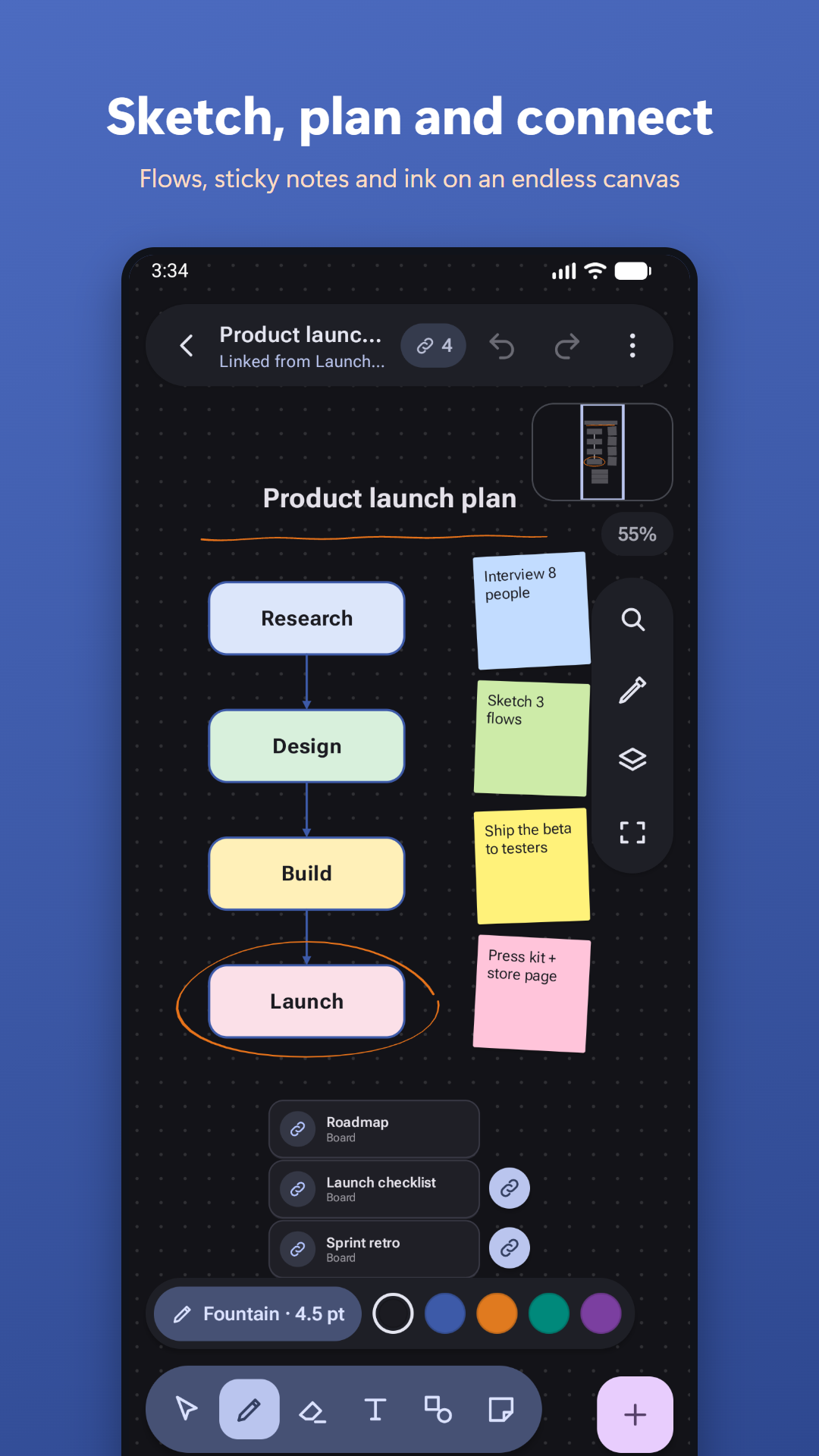
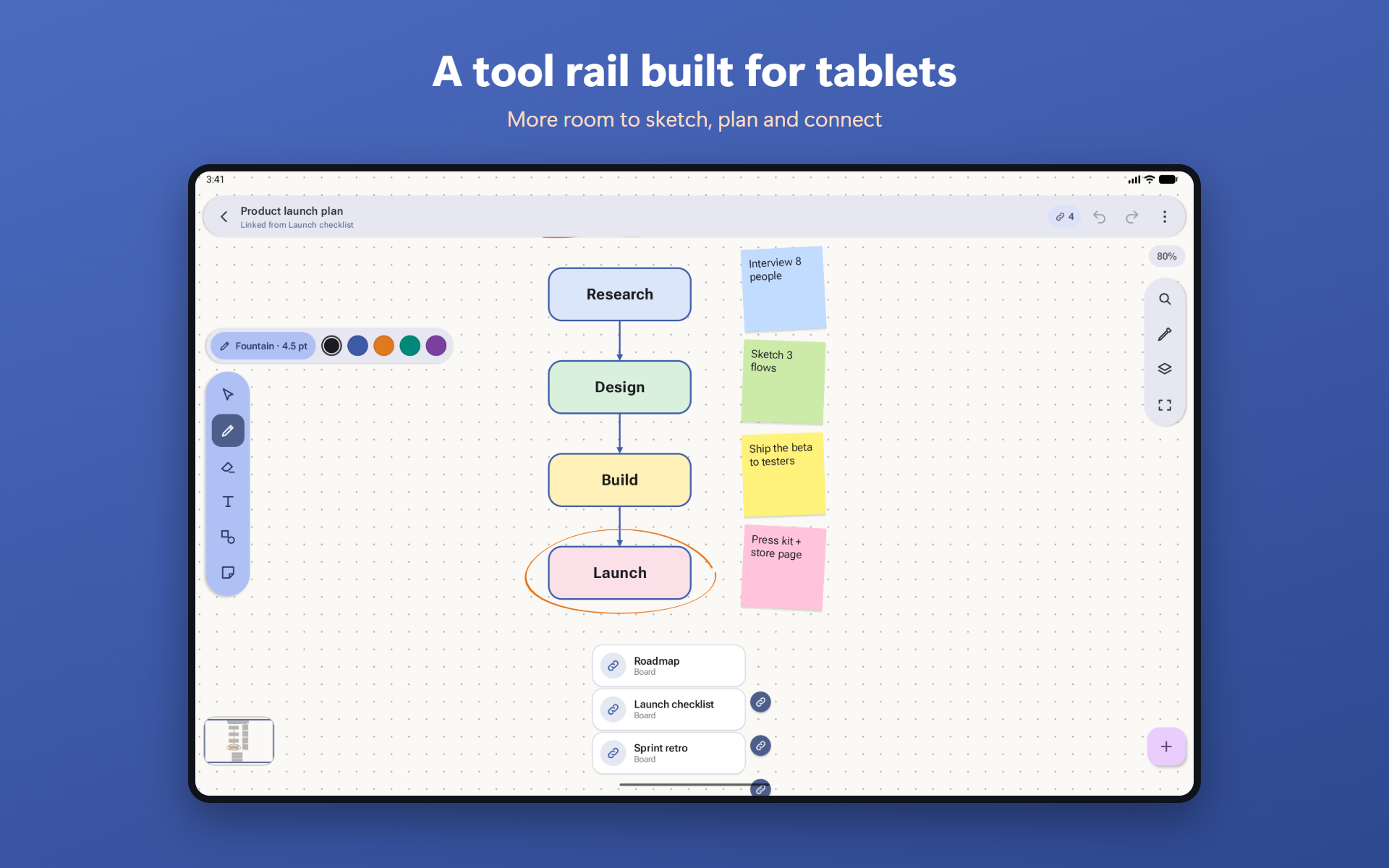
Draw naturally
- Realistic pens, highlighter and eraser with low-latency ink
- Hold the stylus button to erase on the fly
- Turn handwriting into text on the device
- Shape recognition for circles, boxes and arrows
More than ink
- Text, shapes, sticky notes, images and stamps
- Connectors that stay attached, with auto-layouts
- Layers, groups, frames and a presentation mode
- 200 undo steps and board history
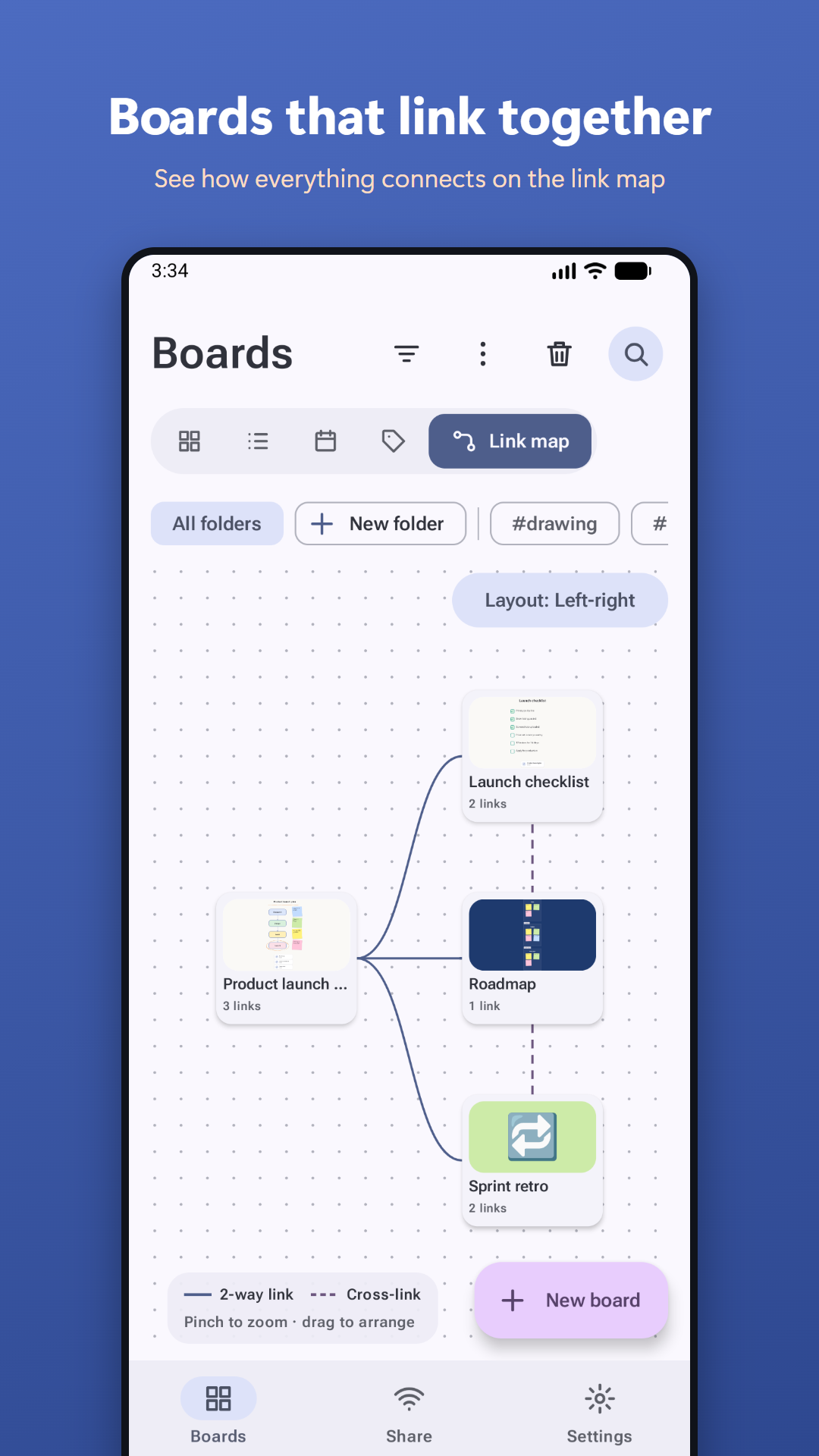
Boards that link together
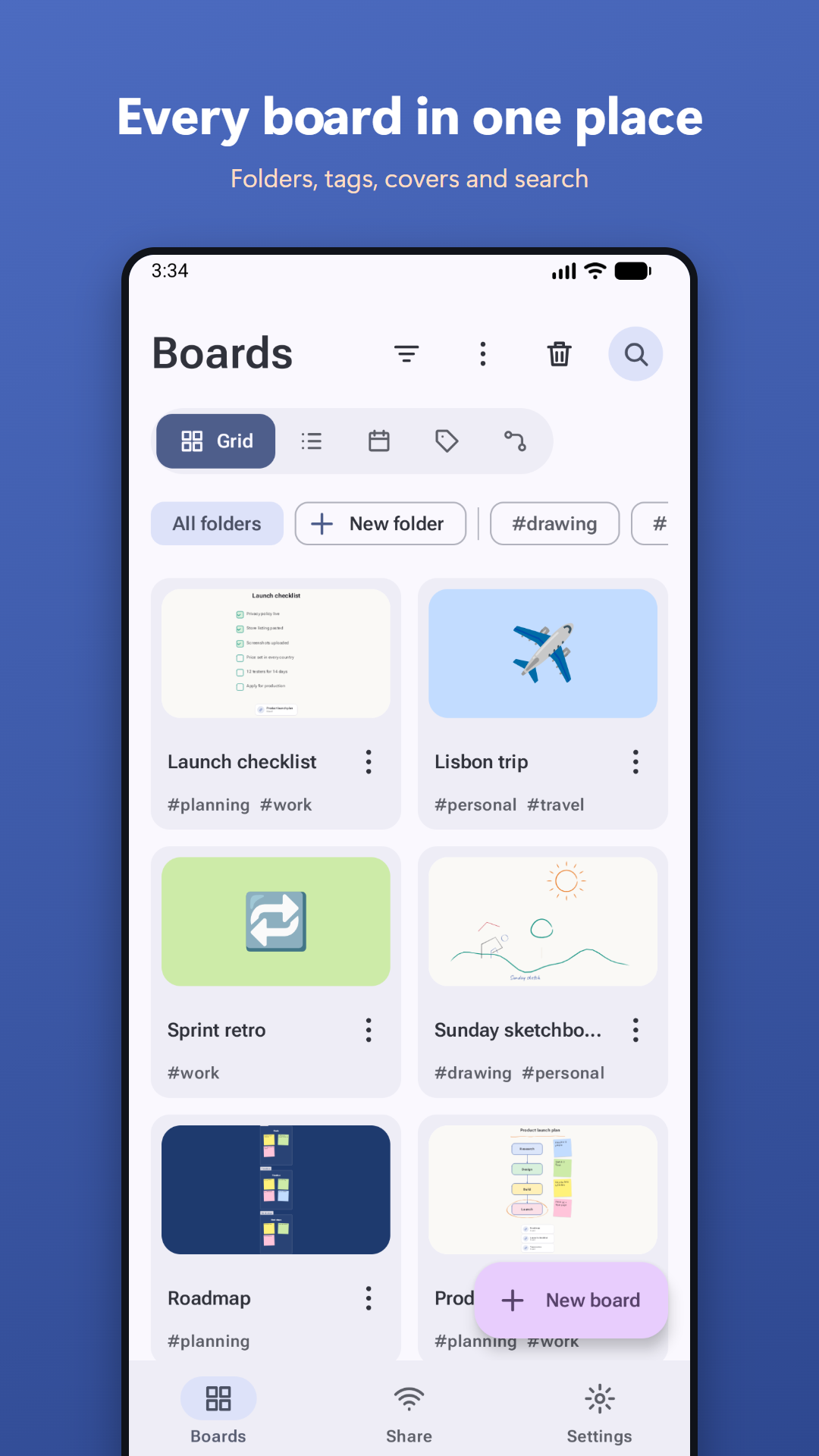
Link a board, a view or an object to another board. Links work both ways, and a link map shows how your boards connect. Browse as a grid, list, calendar or by tag.
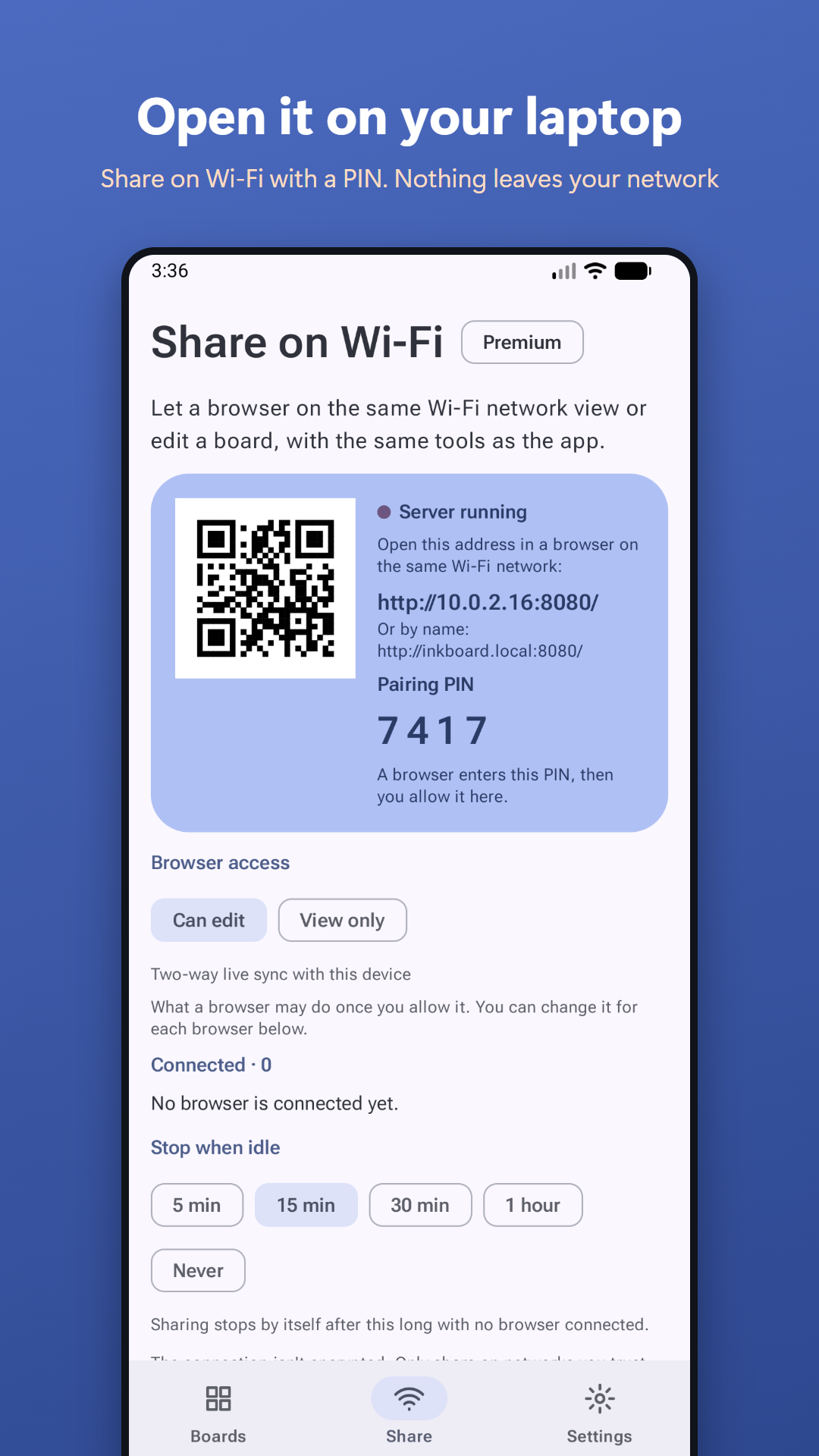
Open it on a laptop (Premium)
Share on Wi-Fi opens your board in a browser on your laptop, by address, QR code or inkboard.local. Nothing goes through the internet or a cloud: your phone hosts the board, and each browser needs the PIN shown on your phone.
Private by design
Everything is stored on your device. There are no accounts, no ads and no analytics. Read the privacy policy.
Made for everyone
Light and dark themes, a colour-blind friendly mode, an accessible mode with larger targets, TalkBack support, keyboard access, and layouts for phones, tablets and foldables.
Screenshots
Free, with a one-time Premium unlock
Everything else is free. One purchase, with no subscription, unlocks unlimited links between boards, PDF and SVG export, sharing and editing from a browser on your Wi-Fi, and scheduled backups to your own Google Drive.
Share on Wi-Fi works with recent versions of Chrome, Edge and Firefox on the laptop.